
Managing Python & Node.js Dependencies in ChatGPT’s Code Interpreter
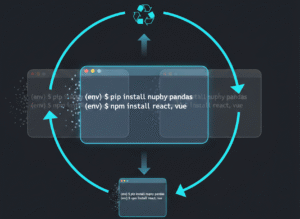
You’ve hit `pip install pandas` or `npm install axios` in ChatGPT’s code interpreter. It downloads, reports success, then minutes later, your script fails saying the package isn’t found. What happened? Did ChatGPT just lie to you? Or is there a fundamental misunderstanding of its execution environment?
This isn’t just an annoyance; it’s a critical friction point when trying to leverage AI for complex scripting or data analysis. Developers expect persistent package installations. When the environment behaves unpredictably regarding dependency resolution, productivity plummets. It’s a classic case of an ephemeral environment clashing with persistent expectations.
Understanding ChatGPT Containers: Package Install Lifecycle
ChatGPT’s code interpreter operates within what we, as systems engineers, would call a highly isolated, ephemeral container. Each `code block` execution, or sometimes even subsequent runs within the same conversation, can spin up a fresh environment. Think of it like a brand new VM instance for every session.
When you tell these ChatGPT containers to `pip install` or `npm install` packages, they download those dependencies directly into that specific, temporary runtime. Once that session ends, or the interpreter decides to reset its state, those installed packages are gone. Poof. They’re not saved. This isn’t a bug; it’s a design choice for security, isolation, and resource management.
Practical Workflow for Ephemeral Build Environments
Working effectively requires a ‘per-block’ or ‘per-session’ mindset for your build environments. The workflow often looks like this:
Declare and install dependencies at the start of every* code block that requires them.
* Consolidate all related operations into a single execution block where possible.
* Verify installation immediately after the install command, perhaps with `pip list` or `npm ls`.
Example for Python:
“`python
Always install dependencies first in the same block you use them
!pip install pandas numpy scikit-learn
import pandas as pd
import numpy as np
from sklearn.linear_model import LinearRegression
Now perform your data analysis or ML task
data = pd.DataFrame({‘X’: np.random.rand(100), ‘Y’: np.random.rand(100)})
model = LinearRegression().fit(data[[‘X’]], data[‘Y’])
print(f”Model coefficients: {model.coef_}”)
“`
Example for Node.js (hypothetical, as Node.js execution is less common but principle applies):
“`javascript
// Install in the same block
!npm install axios express
const axios = require(‘axios’);
const express = require(‘express’); // Often for local dev, less useful in interpreter
// Perform your API call or server setup (if applicable for a sandbox)
async function fetchData() {
try {
const response = await axios.get(‘https://api.example.com/data’);
console.log(response.data);
} catch (error) {
console.error(‘Error fetching data:’, error.message);
}
}
fetchData();
“`
Common Traps in Dependency Resolution
Plenty of developers stumble here. Let’s list the usual suspects:
Expecting persistence: You run `!pip install requests`, get `SUCCESS`, then later run a script needing `requests` in a new* code block. It fails. The environment likely reset.
* Splitting install and use: Placing `!pip install` in one block and `import` in another. This often results in a `ModuleNotFoundError` if an invisible environment reset occurred between blocks.
* Ignoring stdout/stderr: The interpreter might output warnings or errors during dependency resolution or installation. Many just skim for `SUCCESS`.
Over-reliance on base images: Assuming common packages are always* available. They often are, but specific versions or niche libraries need explicit `npm install` or `pip install`.
The Systems Engineer’s Take on Package Management
From a systems engineer’s standpoint, this behavior of `chatgpt containers` is perfectly logical, albeit frustrating for users unfamiliar with ephemeral build environments. It minimizes security risks by preventing persistent code injection. It simplifies resource management; no stale package caches, no ‘bloated’ container images. Each session starts clean. This design favors stateless operations. Your job, then, is to adapt your interaction to this model. Don’t fight it. Embrace the transient nature. Always treat `pip` and `npm` operations as part of your current script’s setup, not a global configuration.
Think of it as CI/CD pipeline logic applied to your chat session. Every single build step (`pip install`, `npm install`) should be explicit and self-contained. It ensures reproducibility within that isolated context. For serious, multi-step `package management` involving many `dependency resolution` stages, it’s still best to run your `build environments` locally or on dedicated compute where you control the underlying environment persistence.
Understanding that ChatGPT containers are ephemeral, self-resetting environments is key to successful `pip` and `npm` package management. Always install your dependencies within the same execution block where they’re used. Adapt your workflow to account for this transient nature. Stop debugging phantom `ModuleNotFoundError` issues and start architecting your prompts with an `ephemeral environment` mindset.
Need to deep dive into container orchestration or persistent build environments? Explore our other articles on Docker, Kubernetes, and secure software supply chains.